
Understands your data
Works inside Microsoft
COPILOT AI AGENTS
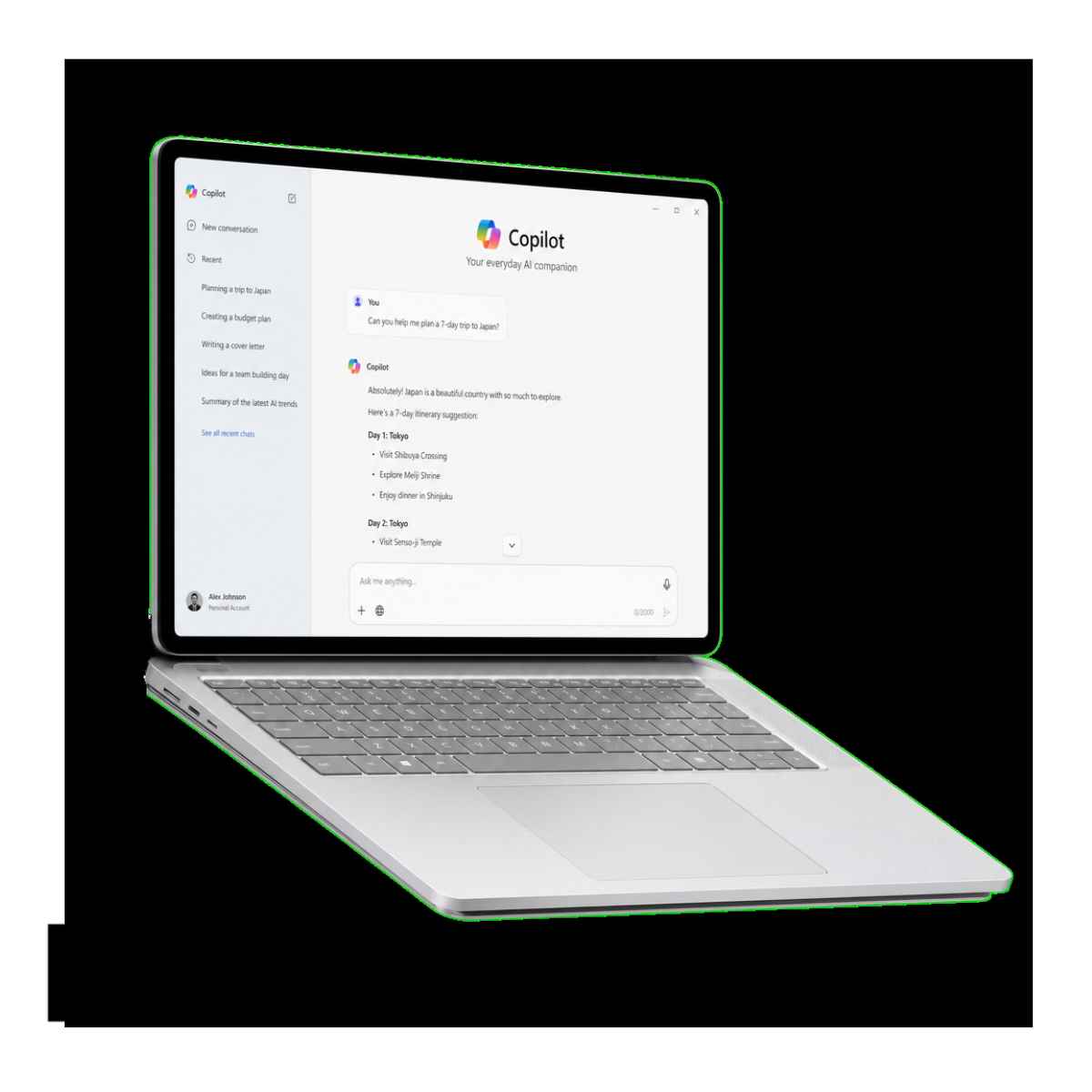
We build AI agents inside Microsoft Dynamics 365, Teams, Outlook, and Power Platform that understand your business data and take action directly within your daily workflows.
Trusted by teams across 150+ Businesses
Trusted by teams across 20+ countries
What We Offer
Microsoft system integration
We connect AI agents to Dynamics 365, Teams, Outlook, SharePoint, and Power Platform so they work inside the tools your team already uses.
AI agents built inside Microsoft tools that understand your data and act within your daily workflows.
Business data connection
We link AI agents to your CRM, ERP, databases, and internal data sources so responses and actions are based on real business data.
Context and logic setup
We define how your business works, including workflows, rules, and decision logic, so the AI agent responds accurately in different scenarios.
In-app interaction design
We design how users interact with the AI agent inside Teams, Outlook, or other Microsoft tools, making it simple to ask questions and trigger actions.
Action and workflow execution
We connect AI agents to Power Automate and other workflows so they can update records, send notifications, handle approvals, and execute tasks.




Turn Microsoft tools into decision systems
We turn Teams, Outlook, and Dynamics 365 into systems that answer questions, update data, and support decisions directly inside your daily workflow.
Reduce back and forth between teams
We remove constant messages and status checks by letting Copilot handle updates, answers, and task execution inside Microsoft tools.
Work inside your existing Microsoft environment
Insights are not passive reports. AI agents trigger actions such as updates, alerts, and workflow executions based on business context.
Connected to your business data in real time
We connect Copilot agents to your CRM, ERP, and databases so answers and actions are always based on live company data.
Automate actions across Microsoft systems
Copilot does more than answer questions. It can update records, trigger workflows, and execute tasks using Power Platform and Microsoft 365 integrations.
Evolve as your business changes
Your Copilot agents can be updated and improved over time as your workflows, data, and business needs evolve without rebuilding the system.
The Benefits
Technologies We Use
We use the tools that fit your business, your data, and your systems.
We are not tied to one platform. Our Approach ensures that we select and implement the best tools for each unique project, tailoring solutions to your specific needs.
Why Exology is Different
We do not deploy Copilot as a generic assistant inside Microsoft tools. We design how it behaves based on how your teams actually use Dynamics 365, Teams, Outlook, and SharePoint.
We design Copilot around your real Microsoft workflows
We start from how decisions are made, not the AI itself
We begin by understanding how information moves inside your business, who makes decisions, and what data they rely on before we design any Copilot agent.
We build Copilot for daily operational use
Copilot agents are designed to be part of everyday work inside Microsoft 365 and Dynamics 365, not separate tools or isolated AI features.
We connect Copilot to real enterprise data
We integrate Copilot with Dynamics 365, Microsoft 365, Power Platform, and your internal systems so responses and actions are based on live business data.
We combine answers with execution inside Microsoft systems
Our Copilot agents do not stop at responding to questions. They can update CRM records, trigger Power Automate workflows, and execute tasks inside your Microsoft environment.
We improve agents after deployment
We stay involved after launch to refine agents, expand capabilities, and adjust workflows as your business structure and Microsoft environment evolve.
02
03
05
06
01
04
How To Get Started
01
Discovery call
We understand your business, your systems, and where AI agents can create real impact.
02
Define your needs
We identify the exact use cases, workflows, and decisions the AI agents will support.
03
Agree on scope
We define what will be built, how it will work, and how it will connect to your systems and data.
04
Kickoff and delivery
We start building, integrate your systems, and deliver AI agents that are tested, deployed, and ready to use.


Ready to Get Started?
Book a free call and we’ll show you how to turn your data into clear decisions.
No commitment. 30-minute call. Clear next steps
Frequently Asked Questions
What exactly do you build when you say Copilot AI agents?
We build custom agents that sit inside Microsoft tools like Teams, Outlook, and Dynamics 365. They are configured to your workflows, not generic assistants.
Is this just Microsoft Copilot or something different?
It uses Microsoft Copilot technology, but we design the logic, data connections, and actions. Microsoft provides the platform, we build how it behaves in your business.
What can Copilot actually do inside a company?
It can answer questions using your company data, update CRM records, trigger workflows in Power Automate, and surface insights inside Microsoft tools.
Do we need to change our Microsoft setup to use this?
No. We build on top of your existing setup. Dynamics 365, Teams, Outlook, and SharePoint stay as they are. We add intelligence on top.
Where does Copilot get its answers from?
From your connected systems. That includes Dynamics 365, Microsoft 365, databases, and approved business data sources. Not from random internet data.
Can Copilot make mistakes with our data?
We control what data it can access and how it responds. We also structure outputs to reduce incorrect actions and ensure reliability before deployment.
Can Copilot replace existing dashboards or reports?
It does not replace them. It makes them easier to use by allowing users to ask questions directly instead of searching through dashboards.
What happens if our processes change later?
We update the Copilot logic. The agents are not static. They evolve with your workflows, new systems, and business changes.
How much customization is needed per company?
Every implementation is custom. We map your workflows first, then design Copilot agents based on your actual decision structure.
Is this only for large enterprises?
No. It is built for any company already using Microsoft tools and struggling with manual work, reporting delays, or disconnected systems.
Contact us
Whether you have a request, a query, or want to work with us, use the form below to get in touch with our team.